
Your week
on one page
The paper planner app.
To plan, write and finish your week.
English & Turkish
How a week works
on Paperweek
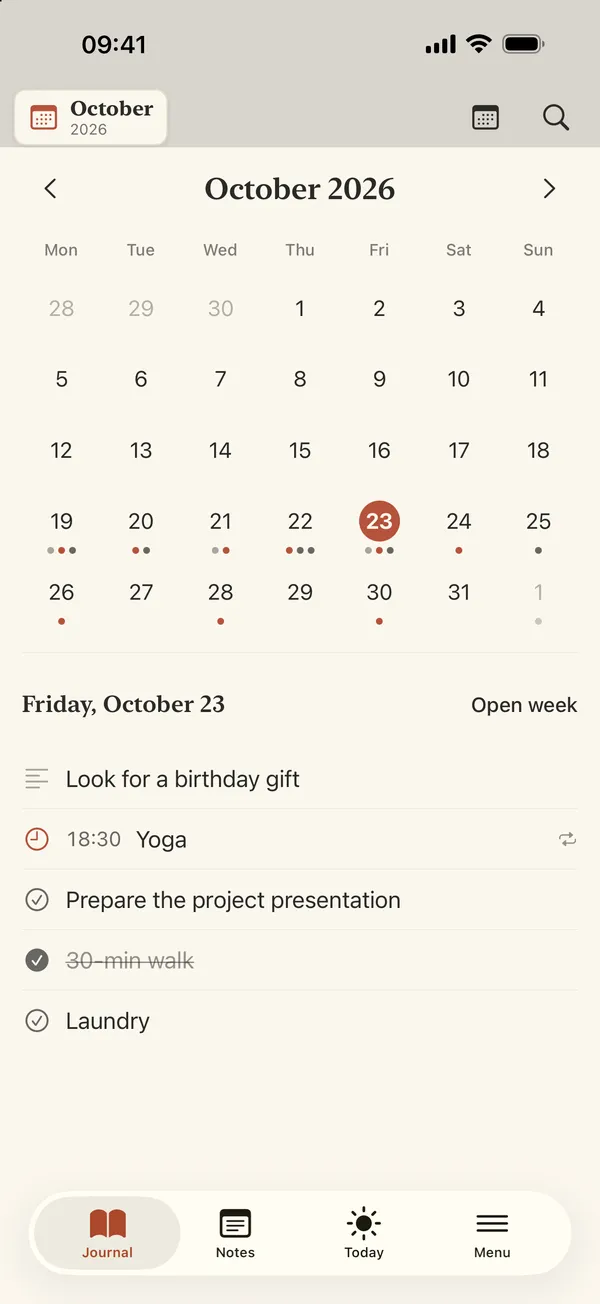
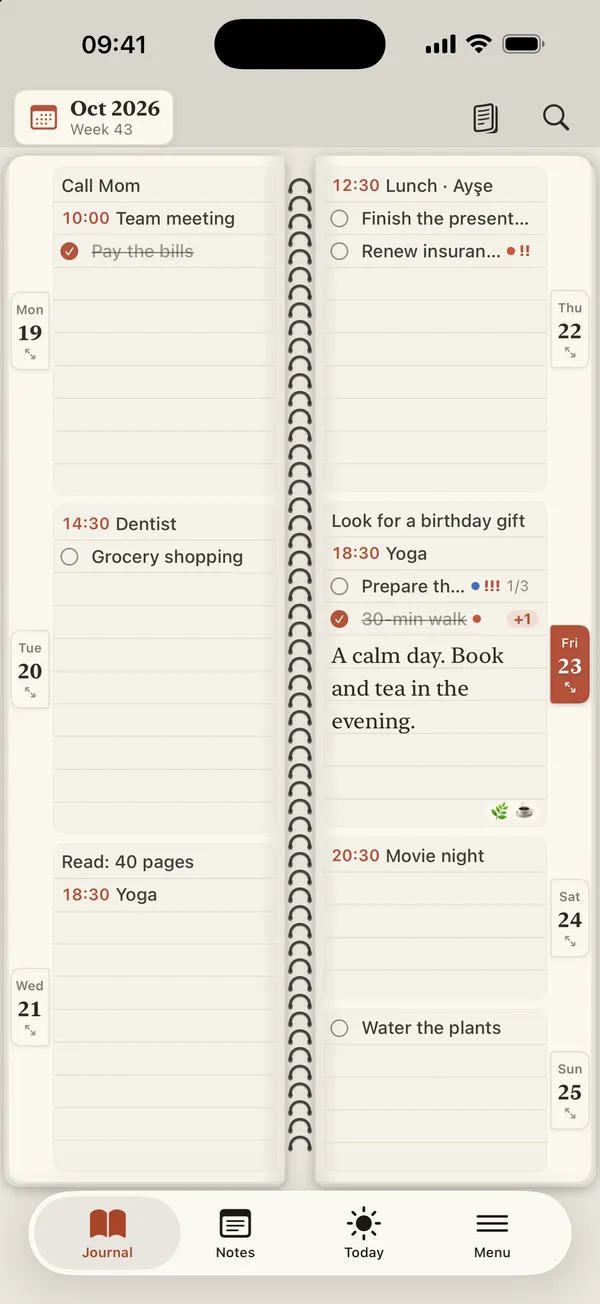
Five ways to see your time
Day, 2-day, 4-day, week and month views with spiral-bound page turns.
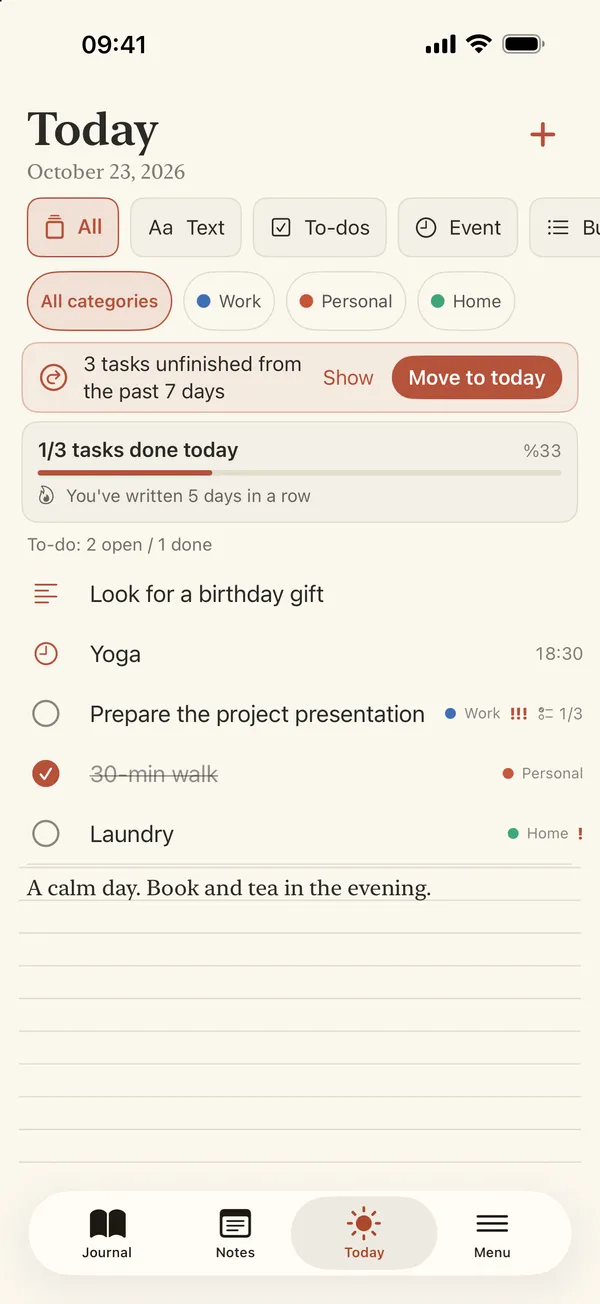
Focus on today
Filter by type and category. Move unfinished tasks to today in one tap.
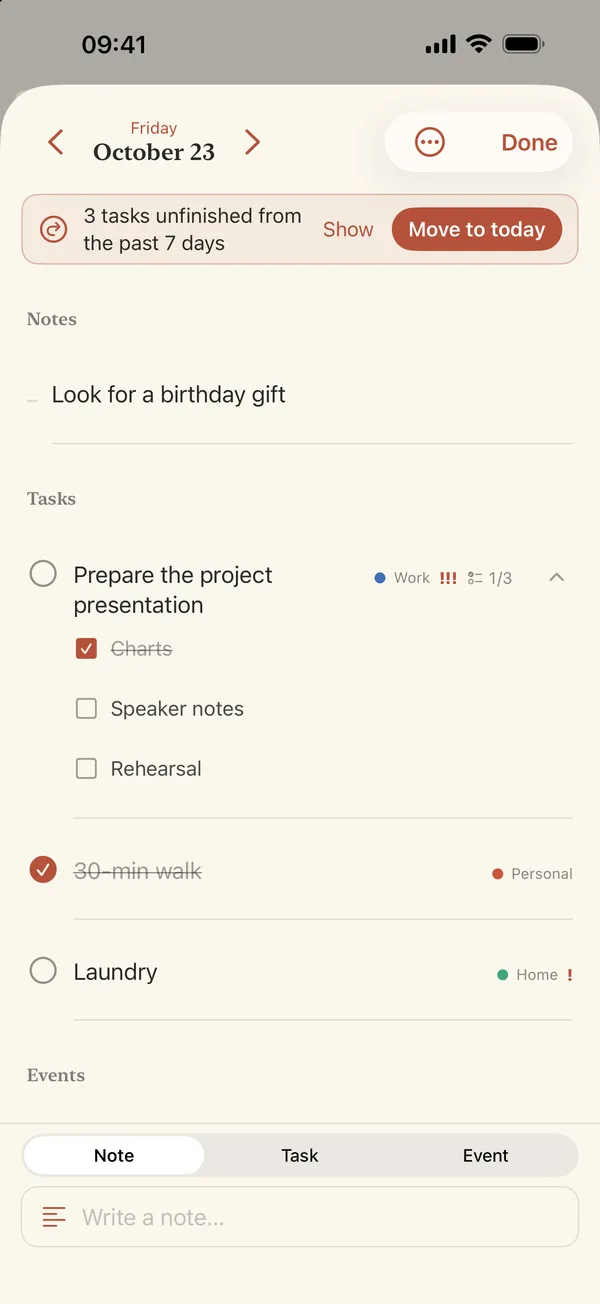
Break any task down
Notes, tasks and timed events side by side. Subtasks, priority and categories.
What Paperweek enables
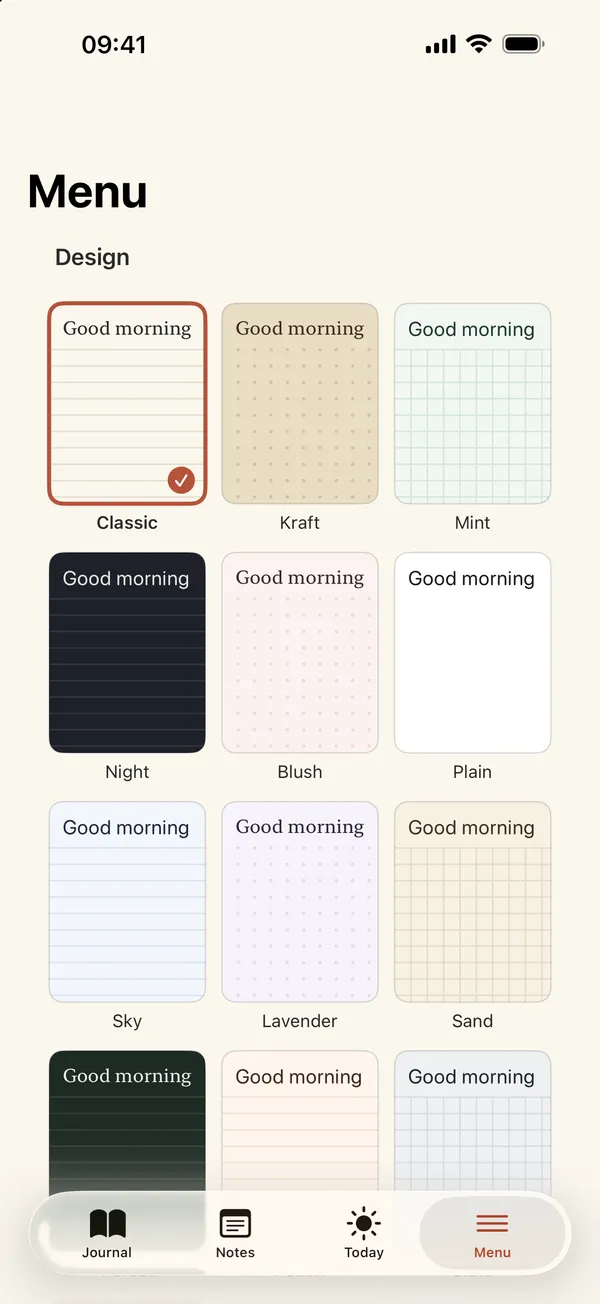
Choose your paper
18 paper designs — linen, watercolour, graph paper, a starry night. 6 classic designs are free.
On your Home Screen
Widgets & Siri
Today and Week widgets. With Pro, tick off tasks right from the widget.
- ALLFull backupExport and restore · freeFree
- PDFWeek & month PDFPrint your pages · freeFree
- CSVDay PDFs, CSVCalendar import tooPro
Backup & export
A full backup file you can export and restore, plus week and month PDFs.
Add to a day
Draw, add photos Pro
Write on the page with Apple Pencil (or your finger on iPhone), add photos and stickers.
Private by design
No ads, no account, no analytics
Paperweek has no server. Nothing you write is collected.
On your device.
a PIN or Face ID.
iCloud (Pro).
No ads. No account. No data collected. Just your week, on paper.
Do more with Pro
7-day free trialThe planner is free to use every day. Pro adds sync, drawing and the extras. The price is shown in the App Store in your local currency.
Pro includes
- iCloud sync across your devices
- Apple Pencil drawing
- Photos and stickers
- All 18 designs and alternate app icons
- Complete tasks from the widget
- Progress and Lock Screen widgets
- Siri & Shortcuts
- Weekly summary
- Unlimited categories
- Day, 2-day and 4-day PDF layouts and CSV export
- Import from Calendar
Free forever
- Day, 2-day, 4-day, week and month views
- Notes, tasks, timed events and reminders
- Repeating entries and search
- Today screen and “move to today”
- Priority, subtasks and 3 categories
- 6 classic designs
- Today and Week widgets
- Week and month PDF
- Full backup and restore
- PIN and Face ID lock
Payment is charged to your Apple ID. The subscription renews yearly unless cancelled at least 24 hours before the end of the current period; manage or cancel it in your App Store account settings. Terms of Use (EULA) · Privacy
Questions
Where is my data stored?
On your iPhone or iPad. Paperweek has no server and no account. If you turn on iCloud sync (Pro), your planner is stored in the private iCloud database of your own Apple account — we can't see it.
What can I do without paying?
All notebook views, notes, tasks, events, reminders, repeating entries, the Today screen, priority and subtasks, 3 categories, 6 classic designs, the Today and Week widgets, week and month PDFs, full backup and the PIN / Face ID lock.
How do I cancel the subscription or the free trial?
Open the Settings app › tap your name › Subscriptions › Paperweek › Cancel Subscription. To avoid being charged after the 7-day trial, cancel at least 24 hours before it ends.
What happens to my data if my subscription ends?
Nothing is deleted. Your entries stay on your device; Pro features simply lock again and iCloud sync stops until you resubscribe. If you used a Pro design, the pages switch back to the Classic design — your writing is unchanged.
Can I back up or move my planner?
Yes. Export a full backup file from Settings and restore it later — merge it with what's there or replace it. This is free.
I bought Pro but it isn't showing
In Paperweek, open the settings (or the Pro screen) and tap “Restore purchases” while signed in to the same Apple ID. See Support.